
The front desk at a busy racquet venue is often an organized disaster. Between ringing landlines, coaches texting for court time, and crossed-out pencil marks on a paper ledger, courts sit empty while players assume nothing is open. Migrating from manual booking systems involves replacing spreadsheets, paper logs, and phone reservations with automated digital scheduling software. Across our setup work at Six Love, clubs usually cut at least 80 percent of manual booking and scheduling time once they switch over. Club admins typically adopt the intuitive system within a single day, eliminating double bookings and handing reservations directly to members instead of wasting front-desk hours on administrative firefighting.
What is Migrating From Manual Booking Systems?
When a venue moves away from manual scheduling, the actual migration involves little more than handing over opening hours, court types, pricing, and a member list so we can import everything into a branded setup that goes live ready to use. It replaces the loose collection of tools managers lean on to keep their venues running: physical desk diaries, whiteboard grids, shared Google Sheets, and payment tracking notebooks.
At its core, the migration converts static, human-managed records into dynamic digital inventory. Instead of a desk clerk deciding whether Court 2 is playable or whether a visitor has paid their guest fee, the software references your operating rules automatically. The system handles court lights, peak-hour pricing rules, cancellation windows, and membership privileges without requiring a staff member to pick up a pen or check a spreadsheet row.
This shift affects three distinct operational areas: how court time is displayed to players, how money is collected, and how court use is recorded. For a tennis, padel, or pickleball venue, it turns court availability into live inventory accessible 24 hours a day.

Why Automated Scheduling Matters in Concrete Terms
Paper and spreadsheet scheduling creates an artificial ceiling on venue revenue because any booking request made after reception closes at 9:00 PM simply goes unanswered. A club with four padel courts operating twelve hours a day has forty-eight bookable slots. When bookings depend on staff answering phones or reading emails, those late-night requests sit unbooked until reception opens at 8:00 AM, by which time the prime morning inventory has passed unsold.
Six Love clients have reported a 22% revenue increase within two months of going live, which reflects what happens when booking friction disappears entirely. When members can open an app at midnight, check Court 3, and pay for a 7:00 AM match without speaking to anyone, unbooked inventory turns into paid bookings.
The administrative drain of manual scheduling is equally damaging. Reception staff spend between two and four hours every shift fielding calls, writing out receipts, tracking down unpaid guest fees, and arbitrating disputes when two pairs show up claiming the same court. Digital transformation research shows that 60% of migration success depends on change management, including staff training and communication, rather than the technical implementation alone. That balance explains why so many clubs struggle: managers treat the change as a software installation rather than an operational reset.
Manual records also hide your operational data. A paper diary cannot tell you that Thursday afternoons have dropped to 15 percent occupancy over the last quarter, or that the indoor pickleball courts generate three times the revenue per square foot compared to outdoor tennis courts. Automated platforms track every booking, cancellation, and payment automatically, turning daily operations into clear metrics you can actually use.
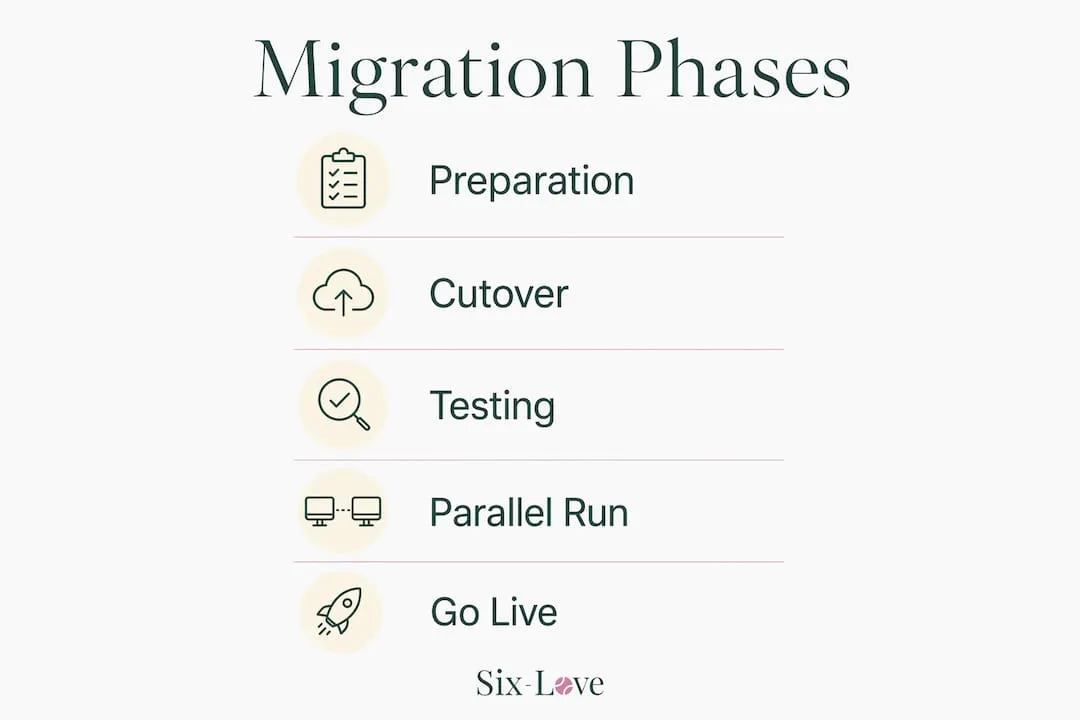
The Mechanics of a Booking System Migration
The technical setup itself does not require weeks of custom coding or months of downtime. A smooth transition relies on assembling four basic operational assets before touching any new software: your operating schedule, your physical court assets, your rate card, and your active member database.
Data preparation requires a clear hand. Spreadsheets accumulate duplicate rows, dead email addresses, and messy court labels over years of use. If your ledger lists Court 1 as "Court 1", "C1", and "Front Court" across different files, importing that data blindly will break your booking logic. Take the time to audit your records first. Cleaning and deduplicating data before migration reduces errors and workload during post-migration validation significantly.
The most common operational failure occurs when managers attempt to import years of past member history. Old records slow down database performance and introduce outdated contact information. Migrating only essential active data and archiving historical records externally prevents the migration from slowing down and maintains business continuity. Export your last three years of bookings into read-only spreadsheets or static PDF archives, store them on a secure drive, and import only active members alongside reservations scheduled for the next 90 days.
| Migration Phase | Key Action | Operational Risk if Skipped |
|---|---|---|
| Data cleaning | Deduplicate rosters and unify court labels | Corrupted member accounts and phantom double bookings |
| Active data import | Migrate only active members and future 90-day bookings | Database bloat and failed record imports |
| Parallel operation | Keep legacy sheet read-only while capturing new entries digitally | Data drift and split booking schedules |
| System cutover | Revoke write access to all paper ledgers and spreadsheets | Front-desk staff entering reservations in dead files |
| Post-launch audit | Reconcile daily court revenue against gate access | Unbilled court hours and unregistered guests |
Payment infrastructure introduces a specific technical limitation that catches many operators off guard: payment tokenisation. Saved credit card details stored in an existing payment gateway or terminal cannot be exported and moved into a new platform due to financial security rules. Members will need to re-enter their payment details the first time they book through the new platform. Acknowledge this directly in your member communications instead of letting them encounter an unexpected payment prompt at checkout.
The Nuance Most Articles Skip About Team Onboarding
When clubs move away from pen and paper, the most common mistake I see managers make is assuming the onboarding process will require extensive staff training. Because our system is so intuitive, club admins typically adopt it within a single day. That initial fear of a steep learning curve leads some managers to delay the shift longer than necessary, costing them hours of unnecessary manual scheduling every week.
The resistance to digital scheduling rarely comes from software complexity. It comes from front-desk staff who fear losing control over their daily workflow. A receptionist who has managed court bookings with an A4 desk diary for fifteen years knows every regular player's quirks, preferred courts, and payment habits. Handing that process to an automated interface feels like stepping into the dark.
Overcoming that hesitation does not require multi-day offsite training seminars. It requires thirty minutes of practical demonstration. Sit down with your front-desk team and show them how to complete the three tasks they perform all day: booking a court for a walk-in, cancelling a reservation, and applying a guest fee.
Practical Next Steps and Parallel Running for Club Managers
When making a transition, we always recommend running our system in parallel with whatever current systems they have to enable them time to get familiar with everything and so that they have a backup in place should they ever make a mistake.
Parallel running bridges the gap between old habits and new workflows. For a window of 48 to 72 hours, all new reservations are entered directly into the new digital platform. Staff keep the legacy paper ledger or spreadsheet open on the desk purely as a read-only cross-reference. If a team member feels uncertain about a reservation, the old record is sitting right beside them.
Timing your cutover minimizes operational disruption. Schedule your migration during your club's lowest-activity window, ideally a mid-week overnight slot in the quietest four to six weeks of your calendar year. Never attempt a cutover on a Saturday morning when leagues, coaching clinics, and social sessions collide.
The cutover succeeds or fails based on discipline around cut-off dates. Using a fixed cut-off date for new bookings, with active reservations remaining in the old system until fulfilled, prevents data overlap and duplication. Once that cut-off moment arrives, take the physical paper diary off the front desk and switch spreadsheet permissions to read-only. Leaving an editable spreadsheet active creates split records where half your team books on screen and the other half continues writing on paper.
- Lock legacy records: Mark all spreadsheets as view-only and physically store paper diaries in the manager's office so staff must use the new tool.
- Run the 48-hour parallel check: Cross-examine daily digital check-ins against actual court foot traffic to catch any member access hiccups early.
- Notify members with a single action link: Send an email and an SMS informing players of the new booking portal, giving them direct access to claim their accounts.
If your club operates more than two courts and still relies on phone calls, text messages, or paper pads to schedule play, make the switch immediately. The administrative drag and lost revenue of manual systems compound every week you delay. Venues with simple, unstaffed single-court facilities operating purely for private home use can skip the complexity, but commercial sports facilities need automation to protect their margins.
What to Do on Day One
Migrating from manual scheduling is a heavy lift for the first week. But letting spreadsheets and phone calls run your club costs far more in unclaimed court time and staff hours. Run your data cleanup before you touch the new software, keep the old logs read-only for seventy-two hours, and get your front-desk team comfortable with three basic tasks on day one.
- Audit your court labels: Standardize every court name across your existing files before importing to prevent broken booking links.
- Archive the past: Export historical records into static PDF files and migrate only active members and bookings for the next 90 days.
- Set a firm cut-off: Remove the physical desk diary from reception the moment you go live to stop split records.
- Communicate payment terms: Tell members directly in you're welcome email that saved cards cannot transfer over and will need to be re-entered at checkout.
FAQ
What happens to members who refuse to use a smartphone or computer to book?
Staff retain administrative access to book courts manually on behalf of any player who calls or visits reception, entering the reservation directly into the digital schedule in seconds.
How do we handle recurring weekly bookings for team practices and club coaches?
Recurring clinic and league slots are blocked out as master repeating schedules during initial setup, ensuring those courts remain reserved without requiring manual weekly entries.