Self-service check-in for racquet clubs: a practical guide
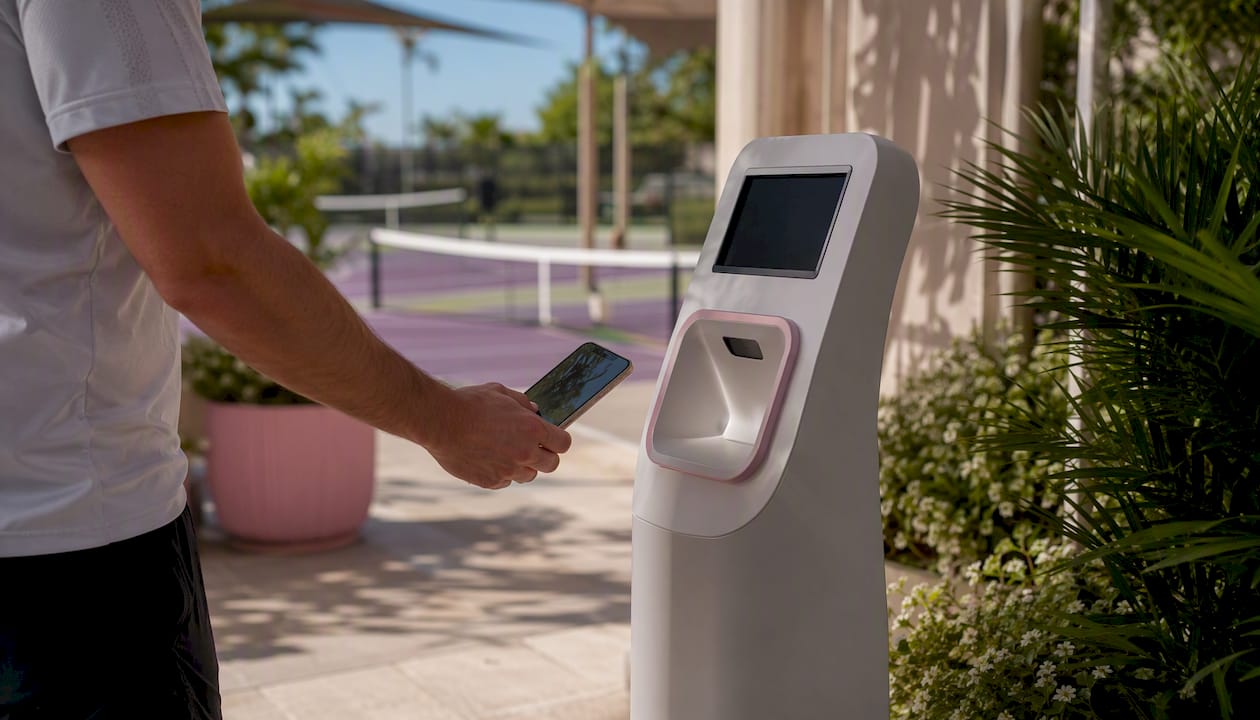
A member-facing self-service check-in is the fastest way to validate bookings, record attendance, and cut front-desk workload at a tennis, padel, or pickleball club. Here is what it does and where to start:
- What it does: validates the member’s booking in real time, confirms membership and payment status, and logs a timestamped arrival record automatically.
- Main benefit: front-desk staff spend less time processing arrivals and more time on member experience, while you gain accurate court utilisation data.
- Immediate next step: pilot a QR kiosk or tablet at your busiest entrance for two to four weeks before a club-wide rollout.
Six-love is the recommended platform for this, built specifically for tennis, padel, and pickleball clubs with bespoke QR check-in, real-time booking validation, and white-label member portals.
Key takeaways
Self-service check-in reduces front-desk workload, improves court utilisation data, and pays back within months when adoption is managed well from day one.
| Point | Details |
|---|---|
| Validate in real time | Check-in must match booking, membership status, and payment before granting entry. |
| Start with a QR pilot | Run a two-to-four-week pilot at one entrance before club-wide deployment. |
| Onboarding drives adoption | Staff presence on launch weekends and pre-launch email guides are the biggest adoption levers. |
| Track three pilot KPIs | Monitor self-service adoption rate, front-desk transaction volume, and no-show rate weekly. |
| Six-love for racquet clubs | Six-love clients report a 22% revenue uplift; the platform covers QR check-in, bookings, and analytics in one bespoke system. |
Table of Contents
- How does self-service check-in work at a racquet club?
- What do racquet clubs actually gain from self-service check-in?
- Which check-in method fits your club?
- What systems does check-in need to integrate with?
- How do you roll out check-in without disrupting operations?
- What security and validation rules must you enforce?
- What does self-service check-in cost, and what is the ROI?
- What are the most common deployment pitfalls?
- Which KPIs should you track after launch?
- How do you choose the right check-in provider?
- The thing most clubs get wrong about check-in rollouts
- Six-love brings bespoke check-in to your courts
- Sources
- FAQ
How does self-service check-in work at a racquet club?
A member opens their app, presents a QR code or NFC badge at the entrance, and the system checks three things in under a second: is the booking valid for this court and time window? Is the membership active? Is payment up to date? A green screen means entry; red means a staff intervention is needed.
Behind that instant response, the validation gate is doing real work. It matches the scanned token against the live booking record, checks membership status, confirms no outstanding balance, and verifies the member has arrived within the allowed time window. The result is logged with a timestamp, court reference, and member ID.
Pro Tip: Use rolling QR tokens that rotate every 30–60 seconds. A static QR can be screenshotted and shared; a rotating one cannot.
When the system cannot reach the central API, a local fallback queue holds the check-in and syncs once connectivity returns. For members who genuinely cannot scan, reception can do a manual lookup by name or membership number, and any staff override is logged for audit purposes.
What do racquet clubs actually gain from self-service check-in?
Reduced front-desk workload is the headline, but the downstream effects matter just as much. Cleaner attendance data means you can see which courts are underused on Tuesday mornings and which time slots are chronically overbooked. That feeds smarter scheduling decisions.
Key operational benefits include:
- Peak-hour throughput: members scan and walk in; no queue at reception during the 6 PM rush.
- Accurate attendance records: every arrival is timestamped automatically, removing manual sign-in sheets.
- Fewer booking disputes: a logged check-in record settles “I was there” arguments quickly. Accurate data also reduces booking conflicts before they escalate.
- Retention signals: attendance gaps surface early, giving staff a reason to reach out before a member quietly cancels.
- Contactless entry: hygiene and convenience, particularly valued by members post-pandemic.
Six-love clients have reported a notable revenue increase shortly after implementation, attributed to improved utilisation and member engagement. Industry data from ABC Fitness indicates that online joins increased significantly on platforms that adopted self-service, pointing to a broader convenience-led engagement effect.
Self-service does not replace staff. It removes repetitive administrative tasks so your team can focus on the interactions that actually affect retention.
Which check-in method fits your club?
Pick the method that matches your traffic volume, budget, and access control setup. QR codes are the easiest to roll out; NFC badges are fastest for high-volume clubs; a kiosk gives you unattended control at unmanned entrances.
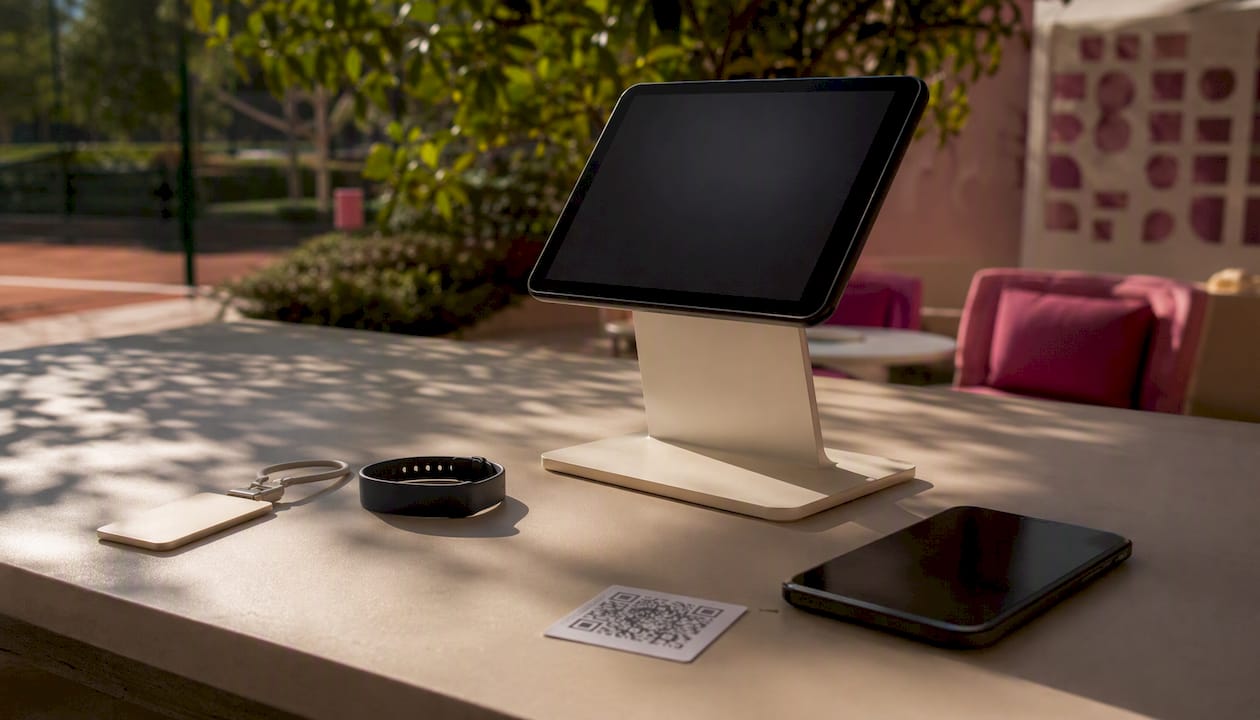
| Method | Speed | Hardware cost | Member friction | Security | Setup complexity |
|---|---|---|---|---|---|
| QR code (mobile) | Fast | Low | Low | Medium (rolling tokens) | Low |
| NFC / RFID badge | Very fast | Medium | Very low | High | Medium |
| Tablet / kiosk | Fast | Medium | Low | Medium | Medium |
| Manual (reception) | Slow | None | Low | Low | None |
Multi-modal check-in — running QR and NFC in parallel with a manual fallback at reception — is the most resilient setup for busy clubs.
A few technical notes worth keeping in mind:
- Use HID-compliant USB barcode scanners for reliable plug-and-play integration with most club management platforms.
- Mount tablets at chest height internally, away from direct sunlight, to avoid camera scanner failures.
- Rolling QR tokens prevent screenshot sharing; test your chosen rotation interval during the pilot.
- For high-traffic clubs, a combination flow (NFC for regular members, QR for guests and casuals, staffed lane for edge cases) keeps congestion low.
What systems does check-in need to integrate with?
Integrate check-in with your booking engine, billing gateway, member database, door hardware, and analytics dashboard. Without all five, you will have gaps: a member with an unpaid invoice walks in unchallenged, or a cancelled booking still shows green.
Required integrations checklist:
- Court reservation engine: real-time booking match for court, date, and time window.
- Billing / payment gateway: confirms no outstanding balance and sufficient credits.
- Member profile database: active membership status, photo ID match where required.
- Door / reader hardware: triggers physical access control on a valid check-in.
- Analytics dashboard: logs attendance, utilisation, and no-show data for reporting.
At the API level, use webhooks for real-time sync and build a local queueing strategy so check-ins are not lost if the central server is briefly unreachable. Test every integration flow during the pilot, not after go-live. Court booking history tracking becomes far more powerful once check-in data feeds directly into your analytics layer.
How do you roll out check-in without disrupting operations?
Run a staged pilot at one entrance for two to four weeks, gather data, fix edge cases, then expand. Rushing to club-wide deployment before the pilot is stable is the single most common mistake.
- Stakeholder sign-off: confirm budget, hardware spec, and go-live date with management.
- Hardware procurement and placement: order scanners or tablets, test mounting positions, confirm Wi-Fi signal strength at each location.
- Software configuration: set validation rules, grace periods (typically five minutes before booking start), and staff override permissions.
- Member communication: send an email guide one week before launch, add signage at the entrance, and push an in-app notification on day one.
- Staff training: cover manual lookup, override procedure, and dispute handling. Every override must be logged.
- Pilot monitoring: review daily throughput logs during the pilot and weekly adoption reports. Track kiosk adoption rate, front-desk transaction volume, and no-show rate as your three leading indicators.
- Iterate: tighten validation rules only after the pilot shows stable adoption. Start permissive.
Pro Tip: Station a staff member at the entrance for the first three opening weekends. You will collect more edge-case feedback in those six sessions than in the following six weeks of remote monitoring.
A real-world example: Dunlace Tennis Club’s kiosk rollout required members to arrive before the booking start time for the check-in to register, with booking details displayed on screen after a successful scan. That single rule clarification, communicated in advance, prevented most day-one confusion.
What security and validation rules must you enforce?
Short-lived tokens, role-based staff access, and minimal personal data displayed at the kiosk are the baseline. Here is the full list:
- Rolling QR tokens or one-time codes; never static QR images.
- Rate-limiting on scan attempts to block brute-force entry.
- Full audit log of every check-in, failed attempt, and staff override.
- Kiosk screens show only first name and booking reference, not full address or payment details.
- Secure API keys and TLS encryption on all endpoints.
- Do not store raw card data at kiosk level; route any in-club purchases through a PCI-compliant payment gateway.
- Display a brief privacy notice in the app and on entrance signage, covering what data is collected and how long it is retained.
Member consent should be captured at registration, not at the kiosk. Keep the kiosk screen clean and transactional.
What does self-service check-in cost, and what is the ROI?
Costs fall into three buckets: hardware, software subscription, and change management. Benefits come from labour savings, better court fill, and incidental revenue.
Typical cost buckets:
- Hardware: QR scanner or tablet ($50–$300), mount and enclosure ($30–$100), optional NFC reader ($80–$200).
- Installation: cabling, Wi-Fi access point if needed, and configuration time.
- SaaS subscription: monthly platform fee covering check-in, bookings, and analytics.
- Integration / custom build: API connection to existing access control or billing systems.
- Training and signage: staff time and printed materials.
A simple ROI frame: if your front-desk staff spend two hours per day processing check-ins at $18/hour, that is roughly $900/month in labour. A substantial reduction in front-desk workload, as reported in Amilia’s community centre case study, translates to significant savings on labour costs, before counting improved court utilisation or the 22% revenue uplift Six-love clients have reported. Most clubs reach payback within three to four months.
Club data reporting is where the longer-term ROI compounds: attendance logs feed scheduling decisions that reduce empty court time.
What are the most common deployment pitfalls?
Poor onboarding, weak fallbacks, and overly strict validation rules that lock out legitimate members are the three failure modes that derail most rollouts.
- Low app adoption: send a pre-launch email with a short how-to guide and station staff at the entrance on day one to walk members through the scan. Adoption that starts below 50% in week one typically recovers with hands-on help; left unaddressed, it stalls permanently.
- Hardware in poor signal areas: test Wi-Fi and camera scanner performance at the exact mounting point before installation. A tablet that works in the office may fail at a glass-fronted entrance in direct sunlight.
- Overzealous validation rules: a grace period that is too tight, or a rule that blocks members with a $1 outstanding balance, generates unnecessary friction. Start permissive and tighten after the pilot data shows you where the real abuse cases are.
- No staff fallback SOP: if the system goes down and staff do not know the manual lookup procedure, you have a queue and an angry member. Document the fallback and rehearse it.
Industry guidance consistently points to guided onboarding as the difference between automation that sticks and automation that gets bypassed.
Which KPIs should you track after launch?
Track adoption, throughput, no-show rate, court utilisation, and front-desk time saved. Review utilisation and throughput weekly; revenue and retention trends monthly.
| KPI | Definition | How to calculate |
|---|---|---|
| Self-service adoption rate | Share of arrivals using the kiosk or app | Self-service check-ins / total visits |
| Front-desk transaction volume | Manual interventions per day | Staff-logged overrides + manual lookups |
| No-show rate | Booked courts where member did not check in | No-shows / total bookings |
| Court utilisation | Booked hours actually used vs. available | Checked-in court hours / total available court hours |
| Front-desk time saved | Staff time freed from arrival processing | Baseline hours minus post-launch hours |
Adoption rate and front-desk transaction volume are your two leading indicators during the pilot.
How do you choose the right check-in provider?
Prioritise real-time booking validation, rolling QR token support, custom court rules, and white-label capability. A provider that cannot demonstrate live booking validation in a sandbox is not ready for a court-based venue.
Questions to ask every vendor:
- Does the system validate bookings in real time, or does it batch-sync?
- Do you support rolling QR tokens and NFC in the same flow?
- Which billing gateways are supported natively?
- What are your uptime SLAs and support response times?
- How are integrations implemented: API, webhooks, or manual export?
Three red flags: the vendor cannot show real-time booking validation in a demo; there is no simple staff override with an audit log; there is no test or pilot environment to validate your integration before go-live.
Six-love is a bespoke, white-label court reservation platform built for tennis, padel, and pickleball clubs. It includes QR check-in with real-time booking validation, a branded member portal, analytics, and integration capabilities across bookings, billing, and access control. You can review the registration and booking flow to see how the member-facing experience is structured.
The thing most clubs get wrong about check-in rollouts
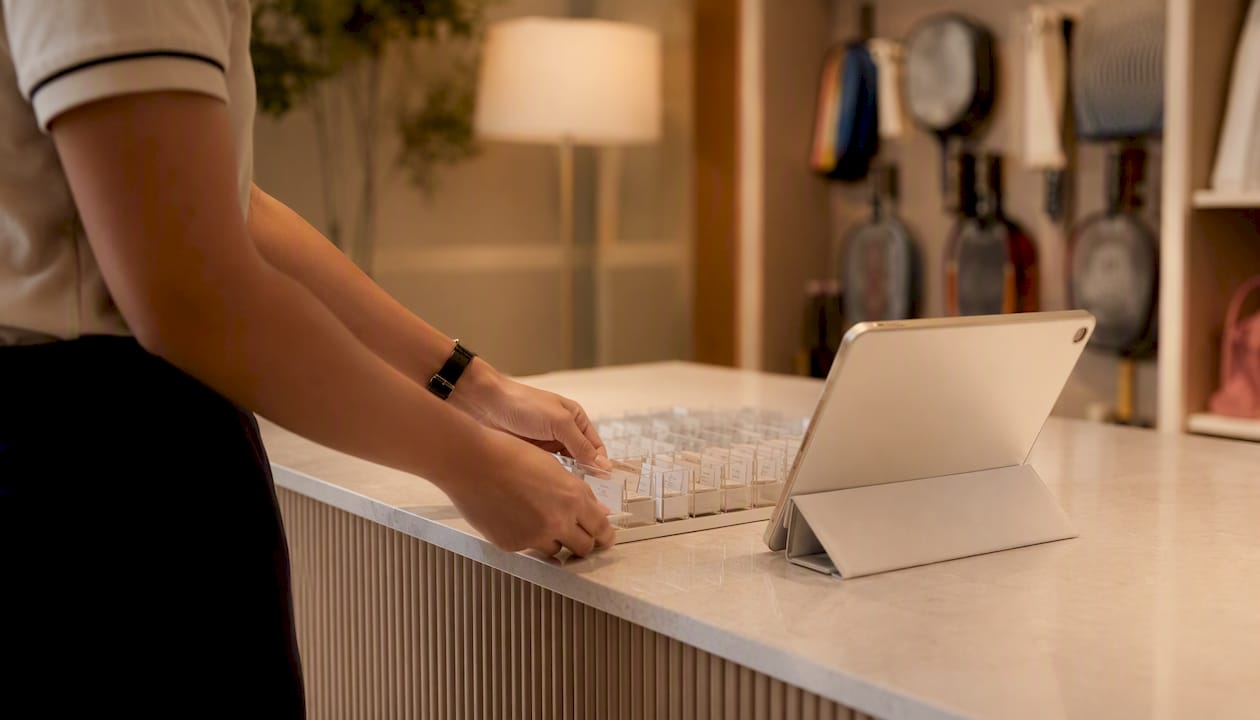
The instinct is to configure everything perfectly before launch. Validation rules, grace periods, NFC and QR running in parallel, staff trained on every edge case. Then the system goes live and the first real problem is that half your members do not know the app exists.
The technology is the easy part. Member communication and the first three weekends of staffed support are what determine whether a rollout succeeds or quietly gets abandoned. A notable reduction in front-desk workload is achievable, but only after adoption crosses a threshold where the system is actually being used. Get the launch communications right, station someone at the door, and collect every piece of friction feedback you can in those first sessions. The configuration you can always adjust; the first impression you cannot.
Six-love brings bespoke check-in to your courts
Six-love gives racquet clubs a fully customisable QR check-in system built into a white-label court reservation platform, covering tennis, padel, and pickleball. Real-time booking validation, rolling QR tokens, integrated billing, and an analytics dashboard are all included, with the platform configured to your club’s specific court rules and member tiers.
If you want to see how the check-in flow works alongside bookings and member management, request a demo or review pricing to find the plan that fits your club’s size and setup.
Sources
FAQ
What is self-service check-in for a racquet club?
It is a member-facing system, using a QR code, NFC badge, or tablet kiosk, that validates a booking in real time and logs the arrival automatically, without staff involvement.
How does a QR code check-in system prevent sharing or abuse?
Rolling QR tokens rotate every 30–60 seconds, so a screenshot taken by one member cannot be used by another. Every scan is logged with a timestamp and member ID for audit purposes.
How long does a self-service check-in pilot typically take?
A two-to-four-week pilot at one entrance is the standard starting point, with daily throughput reviews and a go/no-go decision before expanding club-wide.
Does self-service check-in replace front-desk staff?
No. It removes repetitive arrival-processing tasks so staff can focus on member engagement, dispute resolution, and retention conversations.
Can Six-love handle check-in for tennis, padel, and pickleball on the same platform?
Yes. Six-love is built specifically for multi-sport racquet clubs and supports QR check-in, real-time booking validation, and court-specific rules across tennis, padel, and pickleball in a single white-label platform.
Recommended
- How To Register & Book · Six-Love Blog
- Racquetball tennis: key differences and crossover guide
- The Hub · Six-Love | Insights for Racquet Clubs
- General · Six-Love Blog
Frequently Asked Questions
What is self-service check-in for a racquet club?
It is a member-facing system, using a QR code, NFC badge, or tablet kiosk, that validates a booking in real time and logs the arrival automatically, without staff involvement.
How does a QR code check-in system prevent sharing or abuse?
Rolling QR tokens rotate every 30–60 seconds, so a screenshot taken by one member cannot be used by another. Every scan is logged with a timestamp and member ID for audit purposes.
How long does a self-service check-in pilot typically take?
A two-to-four-week pilot at one entrance is the standard starting point, with daily throughput reviews and a go/no-go decision before expanding club-wide.
Does self-service check-in replace front-desk staff?
No. It removes repetitive arrival-processing tasks so staff can focus on member engagement, dispute resolution, and retention conversations.
Can Six-love handle check-in for tennis, padel, and pickleball on the same platform?
Yes. Six-love is built specifically for multi-sport racquet clubs and supports QR check-in, real-time booking validation, and court-specific rules across tennis, padel, and pickleball in a single white-label platform.